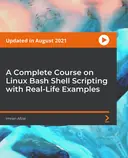
Complete Bash Shell Scripting
Automate repetitive tasks with Bash shell scripting to save valuable time

Created by VRTechnologies
Learn how to automate everyday tasks using Bash shell scripting on Ubuntu. Explore both basic and advanced commands while building real scripts that save you time and effort. Gain the confidence to streamline your workflow with practical automation skills.
Packt | Apr 2020 | 1103 min
What You Will Learn
You will start by setting up your environment and learning foundational Bash scripting concepts. Step by step, you will practice writing scripts, using variables, and applying logic with conditional statements and loops. Hands-on activities help reinforce each concept as you progress, building your skills through real examples.
Key Features
- Write and execute shell scripts to automate repetitive tasks efficiently
- Master key Bash commands and scripting techniques for real-world scenarios
- Troubleshoot and debug scripts to ensure reliable automation results
Target Audience
Ideal for system administrators, automation engineers, or anyone new to Bash scripting who wants to boost productivity. If you have a basic understanding of Unix or Linux commands and want to automate tasks or manage servers more efficiently, you will benefit from these practical skills.
![Cover image for Mastering Bash Shell Scripting: Automate your daily tasks [Updated for 2021]](https://image.expertedge.org/small/9781801070607.webp)